Writing
How to choose an AI model: a 15-minute comparison
updated 2026-10-19
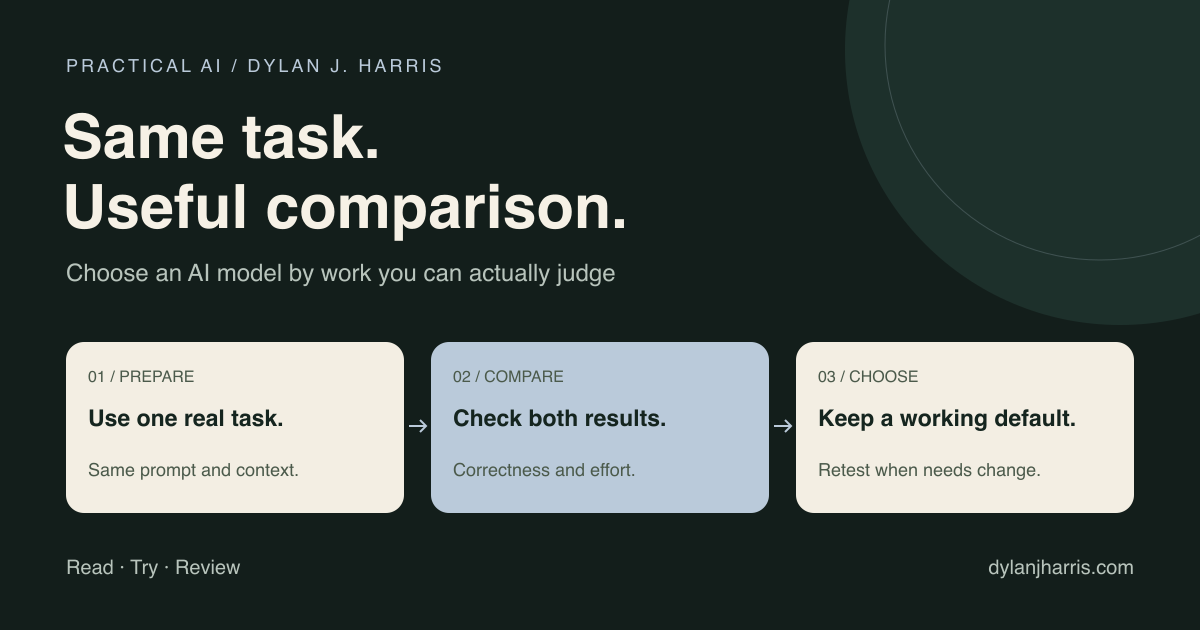
Choose an AI model by testing it on your own work. Give your current model and a contender the same task, check whether each result is right, and compare total time, cost, and corrections. Use public benchmarks to build a shortlist; use your own runs to pick a default.
Every model launch comes with a leaderboard victory lap. Fine. I still have to ship something by Friday.
What should you measure?
Check correctness first. Then measure the time, corrections, and cost required to reach a usable result. A fast, polite answer still has to pass the check.
| Signal | What to record | What good looks like |
|---|---|---|
| Correctness | Tests, required facts, or a written rubric | Meets the task's requirements |
| Time to useful output | Minutes through checking and repair | Less total time |
| Steering | Corrections needed to finish | Fewer interventions |
| Cost | Actual usage cost, where available | Fits the budget |
| Repeatability | Results on additional examples | Holds up beyond one lucky answer |
Tone matters too. I don’t want to fight a model’s personality while solving a problem, though I count that as workflow fit rather than raw capability.
How does the 15-minute comparison work?
Treat this as a quick screen. Complex tasks take longer, and a single prompt cannot prove reliability.
- Pick a small real task. Use a pull-request review, a short refactor, or a draft rewrite you can verify.
- Write the pass conditions. A code change might need to pass an existing test and preserve an API. A rewrite might need to retain five specific facts within 200 words.
- Run both candidates. Use fresh sessions, the same input, and comparable tools. Record model versions and effort settings.
- Check the output. Run the tests or apply the rubric, counting your repairs as part of the job.
- Keep a provisional winner. Try it on several more examples before changing your daily default.
If you can, hide the model names while judging the outputs. You’ll spot a weak answer faster when you aren’t rooting for a logo.
For important workflows, test typical cases, edge cases, and known failure modes, and rerun the comparison after material changes. OpenAI's evaluation guidance recommends task-specific tests, explicit criteria, and human review rather than judging by vibe alone.
What should stay the same?
Keep the task, source material, pass criteria, and tool access consistent across runs. Record anything you cannot control, such as hidden system instructions inside a hosted chat app.
Be clear about what you are comparing. A pure model test holds the harness steady. A product test compares the whole experience, including its tools and defaults. Pick the test that answers your actual question.
What do AI benchmarks tell you?
Benchmarks measure performance on specific tasks under fixed conditions. They are useful evidence, not a complete picture of your working day.
For example, SWE-bench evaluates software issue resolution, while Terminal-Bench tests agents inside a terminal environment. Check both the task set and the agent harness before treating two leaderboard numbers as comparable.
Those scores don’t tell me how much editing my newsletter needs, how well a model navigates my private repository, or how often I’ll have to repeat a constraint. That’s why I keep a local scorecard.
Should you always use maximum reasoning effort?
Test a moderate effort setting before paying for the maximum tier. Where a tool exposes reasoning or effort controls, run the same task at both settings and record quality, latency, and token cost.
Don’t assume effort labels mean the same thing across providers, and don’t assume a lower setting is always cheaper once you count retries. Find the least expensive setting that reliably passes your checks.
Inspect your surrounding instructions too. Often the bottleneck is a muddy prompt or bloated context rather than the model itself. Change one variable at a time and rerun the test so you know what actually helped.
When should you switch models?
Switch when a contender measurably improves the work you do every week. A splashy launch is a reason to run a test, not a reason to migrate your whole stack.
Run the winner for a week of ordinary work and log its failures. If it writes better code but worse prose, split your defaults—you don’t need one champion for every job.
For a client-facing system, factor in privacy terms, rate limits, uptime, and fallback behavior alongside output quality. A 15-minute screen is a starting filter, not a production acceptance test. The website assistant guide covers that broader deployment checklist.
Frequently asked questions
Are AI benchmarks useless?
No. They help you narrow the field and understand measured capabilities. Check what was tested, then run a small evaluation on your own tasks.
Is one prompt enough to choose a model?
It can expose an obvious mismatch. It cannot establish reliability. Test more examples and repeat borderline results before making an important switch.
Should I compare models or chat products?
Compare the thing you plan to use. If tools, search, and the interface matter to your work, test the complete product and record that choice.
What if the cheapest model needs more corrections?
Count the repairs. Compare the total cost of a usable result, including your time, rather than the price of the first response.
Related: design a workflow with clear jobs and checks, or browse the AI directory for evaluation tools.