Writing
23 Grok Bot tips for reliable work with less wasted usage
updated 2026-10-19
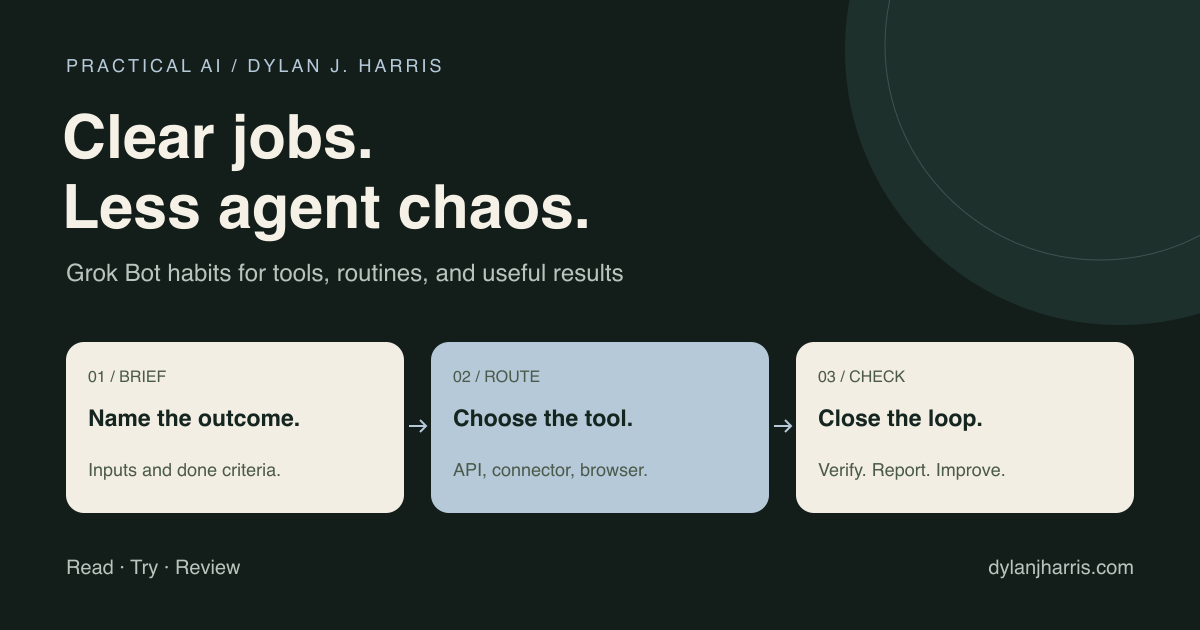
To get reliable work from Grok Bot, give each job one owner, connect the right tools, and define what a finished result looks like. Save working procedures as skills, and schedule them only after you test how they fail.
Start with one Bot and one recurring job. Add another Bot only when a separate job needs its own owner.
What is in this guide?
- The core building blocks
- Choose the work and owner: tips 1–5
- Connect and protect access: tips 6–10
- Make repeat work reliable: tips 11–16
- Reduce coordination waste: tips 17–23
- Copy the task brief
- Common questions
What do Grok Bots, skills, and routines do?
Grok Bot gives you persistent Bots for ongoing jobs, rather than a one-off chat answer. Start with the official Grok Bot overview.
| Building block | Job | Example |
|---|---|---|
| Bot | Own an ongoing responsibility | Prepare the weekly project brief |
| Skill | Describe a reusable procedure | Compare updates and flag blockers |
| Routine | Run a workflow on a schedule or supported event | Prepare the brief on Monday |
| Connector or app access | Reach a source or perform an operation | Read a project tracker |
| Approval rule | Control a consequential action | Require review before sending the brief |
A skill cannot supply a missing login, and a routine cannot fix a weak procedure. The official docs separate these pieces in skills and routines.
Choose the work and owner
1. Give each Bot one clear job
Write a one-line charter: “Prepare a source-linked weekly project brief; never contact customers.” Set the output and the boundary before you worry about personality. Persistent context helps most when the job stays stable. Create and manage Bots.
2. Start with the smallest useful roster
Use one Bot until a distinct job needs its own owner. Add a specialist for a recurring task or an independent review. Every extra Bot adds another handoff to manage.
3. Pick recurring work from an actual week
List what you repeated last week and count the time you spent checking and fixing it. Pick one task with accessible inputs and an output you can inspect. A draft status report is a much safer start than handing a Bot the keys to a department.
4. Prompt the whole job
State the goal, source, constraints, acceptance check, and destination. End with “Done when…” and “Report back…”. Missing context creates follow-up chatter; extra adjectives will not fix a vague brief.
5. Correct durable instructions
When a rule should stick, save it in the Bot profile or skill. A correction buried in a long chat thread is hard to find and maintain. Update the written procedure when your workflow changes. Do not assume the model updated its weights from a chat correction.
Connect and protect access
6. Prefer a suitable connector, API, or CLI
Use a structured tool or API whenever it covers the task. Save browser automation for visual checks and workflows that have no clean integration. Verify the target account and tool capability first. Grok Bot documents plugin and computer access separately in Computer and apps.
7. Test new access with a read
Fetch a known record and inspect the result before you allow any writes. Confirm the account, environment, and permissions. A working login does not prove the Bot reached the right customer or production system.
8. Treat browser sessions as credentials
A signed-in browser often exposes more than one task needs. According to the official documentation, all Bots on an account share one cloud computer, including its files and browser sessions. Separate Bot names are not a security boundary. Shared-computer security.
9. Define approval boundaries precisely
“Ask before sending external email” works better than “be careful.” Name the exact destination and scope for writes, purchases, publishing, deletions, and production changes. Configure platform approval controls alongside your prompt instructions. Auto Review complements access controls; it does not replace them. Approval controls.
10. Connect only what the job needs
Keep a short access list with the service, owner, and purpose. Disconnect tools that no active workflow uses. Use the platform's credential flow rather than pasting passwords into reusable prompts or shared Bot profiles.
Make repeat work reliable
11. Save a successful procedure as a skill
Once a manual run works, ask the Bot to write down the steps, inputs, checks, output format, and failure rules. Then test that skill on a second example. One clean run gives you a draft procedure, not proof that every edge case works.
12. Make the skill easy to select
Write a specific description: “Prepare a project status brief from supplied notes.” State when not to use it. Test the natural phrasing you will actually type later, not just the skill's exact slug.
13. Put the trigger in a routine
Use a routine to set a real schedule or supported event trigger for repeated work. Name the time zone and owner, then confirm the next scheduled run. A promise in ordinary chat does not create a schedule. Routine setup.
14. Specify no-data and stale-data behavior
Decide before scheduling whether the Bot should stop, wait, or return a partial draft when data is missing. “No new records” and “could not reach the source” need different handling. Never let a failed fetch turn into a reassuring empty report.
15. Test before leaving it unattended
Run the routine with safe inputs and inspect what it produces. A test run can still perform real actions; do not assume it is a dry run. Check access failures, duplicate events, and approval gates, and retest whenever a connector or source format changes. Routine testing.
16. Make retries safe
Use source IDs or another stable key to recognize completed work. A retry should update the existing draft or skip the item, not send duplicate invoices, posts, or messages. Use idempotency keys whenever the connected tool supports them.
Reduce coordination waste
17. Address the owner directly
Use a one-to-one chat when one Bot owns the task. Use a group when several Bots need to coordinate on a shared outcome, and tag the responsible Bot with a mention when ownership matters. Do not assume every group message wakes every participant in the same way. Chat and collaboration.
18. Make handoffs self-contained
Pass the goal, evidence, output path, and open questions in the handoff itself. A bare link leaves the next Bot guessing. Ask the receiving Bot to return only what the next step needs.
19. Keep routine updates quiet
Send notifications for decisions, failures, or meaningful changes, and silence repetitive “still checking” pings. Check the notification settings and confirm how a test run behaves. Settings and notifications.
20. Measure completed work per cost
Check expensive runs, repeated file reads, failed tool calls, and redundant handoffs using the usage data your account exposes. You rarely need a separate cost-monitoring Bot that burns tokens of its own; a quick weekly review is usually enough. See the AI token cheat sheet for practical ways to trim wasted usage.
21. Keep a short lessons file
Record a dated correction when it will change future work. Link it from the relevant procedure. Keep current rules separate from historical notes so an old workaround does not silently remain policy.
22. Review a template before installing it
Inspect a marketplace template's instructions, tools, permissions, and update source before trusting it. Test it with a disposable example. Avoid importing an entire team structure to solve one task.
23. Isolate concurrent code work
Give each writer an owned set of files or a separate worktree and branch. Check the repository state before editing. Merge through the project's checks. A single owner can integrate several contributions without letting agents overwrite one shared checkout.
A task brief you can reuse
Goal: Prepare a weekly project brief.
Owner: Project Brief Bot.
Sources: The approved tracker and this week's meeting notes.
Output: One draft with completed work, blockers, and decisions.
Evidence: Link each factual claim to its source.
Boundary: Read sources and save the draft. Do not send or edit records.
Missing data: Name unavailable sources and mark the report partial.
Duplicates: Update the draft for this week instead of creating another.
Done when: Claims are sourced and conflicts are visible.
Report back: Draft link, missing inputs, and decisions that need me.
After the manual run works, add the schedule and time zone. Keep the output rules the same so you can compare runs.
What should you check each week?
| Question | If the answer is no |
|---|---|
| Did the job produce something used? | Pause or narrow it |
| Did it read the intended current sources? | Fix access or freshness checks |
| Did it stay inside its allowed actions? | Review permissions and the procedure |
| Can a retry avoid duplicate work? | Add a stable identifier and retry rule |
| Is someone responsible for failures? | Name the owner and notification path |
| Is the result cheaper to review than to do manually? | Measure why, then revise or remove it |
Pick three changes that address problems you have now. Get those working before expanding the roster.
For a deeper reusable-workflow setup, see AI agent skills. For runtime choices, see the automation guide. Browse the AI directory for official tools and learning resources.
FAQ
Do I need a Chief of Staff Bot?
No. A lead Bot can help coordinate several real workstreams. Start without another management layer if one Bot can finish the job.
Does Grok Bot need browser access for every task?
No. Use an available connector, API, or CLI when it fits. Browser access is useful for visual work and tasks without a suitable structured integration.
Are separate Bots isolated from one another?
No. Separate Bots are not a security boundary. The documented cloud computer is shared across your Bot roster, so its files and browser sessions require account-level care.
Can routines run with my laptop closed?
Yes. Grok Bot documents background routines that run while your laptop is closed. Confirm that the job does not depend on local files or manual steps on your machine.
Will these tips reduce my bill by a fixed amount?
No fixed savings are promised here. Measure usage, completed output, review time, and corrections before and after each workflow change.
What is the difference between a skill and a routine?
A skill describes how to do the work. A routine determines when a Bot runs a workflow. Test the procedure before scheduling it.